

On-premise data and software modeling
Model your systems
on your own servers
Bluetong is a modeling tool for drawing and editing ERD, REST API and sequence diagrams in a web browser and in a native macOS app. The server is installed inside your company, so models, edit history and conversations with AI stay on your servers. Databases your AI builds show up as ERDs people can see at once, and AI and people — and people and people — shape one model together.
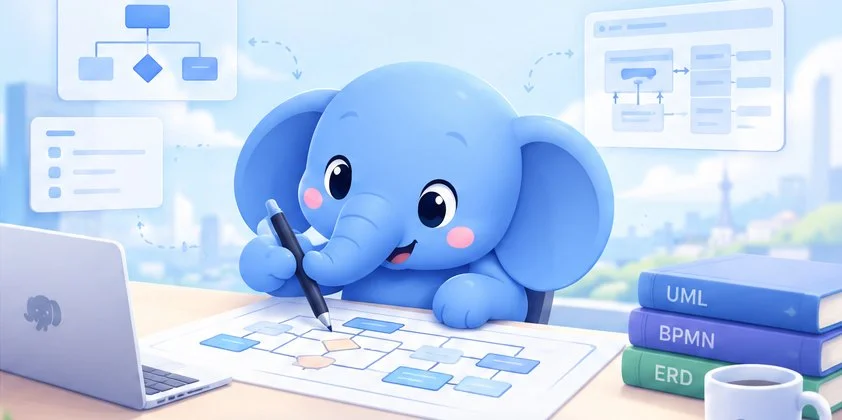
Bluetong’s blueprint studio
- Web + macOS
- Two apps with the same features — the browser and a native Mac app
- PostgreSQL · Oracle · MySQL
- DDL export and import, and import straight from a live database
- In-house AI
- Point it at Ollama or any OpenAI-compatible endpoint you choose

The screens are in Korean. The shopping-mall model is a made-up example.
Why on-premise
A data model is the blueprint of how a company works
Tables, columns and relationships spell out how your business runs. Bluetong keeps that blueprint on servers you own, lets many people edit it together, and lets AI help — inside your company.
Models stay on your servers
The server runs on your hardware; models, edit history, sharing records and AI chat history are stored in your PostgreSQL. Every edit is saved to the server, so nobody passes files around to keep versions in step.
Use AI without sending data out
AI chat only calls the AI endpoints registered on your server. Connect an Ollama you run in-house and diagram content never leaves your network. Without any AI, every editing feature still works.
Your company controls access and records
Only invited people can sign up, and administrators decide who the members are and which AI they may use. Sign-ins, shares and deletions are kept as an audit log in your own database.
AI, people and team, working together
Check the database your AI built while developing — right away
Tables a coding AI creates while writing code end up scattered across migration files and the development database, and people struggle to follow what appeared. Bluetong shows them at once as an ERD with its relationship lines. People check and correct quickly, and the AI reads back the model people refined to carry on developing. AI and people — and people and people — work on one model.
- 1
The AI draws it
When a coding AI creates tables with the MCP tools (
add_tables,change_tables), they appear on the spot for everyone with that diagram open. - 2
Bring in the DDL it wrote
A migration’s
CREATE TABLEstatements go into the diagram with one command —bluetong apply <project> <diagram> --ddl schema.sql - 3
Straight from the dev database
“Import from database” reads the tables the AI’s code created in your development database (PostgreSQL, MySQL, Oracle) and turns them into an ERD.
- 4
Tidy it and review
One auto arrange puts referenced tables on top and lines at right angles — see what appeared at a glance and fix it right there.
About the picture
- The solid orange line is the AI agent’s edit: a coding AI creates or changes tables, columns and relationships with the MCP tools (
add_tables,change_tables) or the command line. - The server checks permissions. The AI comes in with an API key a member made, and edits only within that key’s scope (read only or edit, and the projects it may use).
- The dashed blue lines are live delivery: tables the AI creates appear at once, as an ERD, on the screens of everyone with that diagram open.
- The solid grey line is people’s edits. Several people can refine the model at once; the server sets the order so every screen ends up the same.
- The dashed orange line is the AI reading the current model back (
describe_diagram), so the names, comments and relationships people refined are what it builds on next.
AI writes, people see
What the AI created shows up as an ERD with its relationship lines, not as SQL text. Tidy it with auto arrange (arrange_diagram) and review what changed at a glance.
People refine, the AI reads it back
When people refine names, comments and relationships, the AI reads the current model and uses it for the next code and SQL. One model becomes the agreement between the AI and the team.
Permissions and records for AI too
AI agents come in only with API keys. Each key is read only or may edit, can be limited to some projects, and can be revoked at any time. In-app AI chat changes nothing until a person presses “Apply”.
# attach Bluetong to your AI tool (the key is an API key a member made — it can be read only)
{
  "mcpServers": {
    "bluetong": {
      "command": "bluetong",
      "args": ["mcp"],
      "env": { "BLUETONG_SERVER": "https://modeling.example.com", "BLUETONG_API_KEY": "btk_…" }
    }
  }
}
# tools: list_projects · list_diagrams · describe_diagram · add_tables · change_tables · arrange_diagram
Features
Everything modeling needs, in one place
From drawing the diagram to exporting SQL and API documents — without switching tools.
ERD
Pick tables, views, 1:1, 1:N and M:N relationships, DB sequences, stored procedures, triggers, generalization and notes from the notation palette. A “Comments” view shows column comments in place of names.
REST API diagrams
Draw REST resources (method, URI, summary) with their request and response bodies and the classes those bodies refer to, on one diagram. Import a Swagger (OpenAPI) document straight into a diagram, and export the diagram you refined back to Swagger. Edit class attributes and operations in place.
Sequence diagrams
Lifelines, messages, return, create and recursive messages, and combined fragments such as alt and loop with their guards.
Editing that fits the hand
Drag relationship lines to bend them and square them up, right-click menus, column and attribute editing in the inspector, undo and redo, copy, paste and duplicate.
Auto arrange
Re-routes tangled relationship lines at right angles around the tables and, if you like, lays out the tables too. Computed on the server — no AI involved.
SQL
DDL for PostgreSQL (the default), Oracle and MySQL, plus CRUD SQL. Import DDL from pg_dump, mysqldump or Oracle, or connect to a live database and reverse-engineer it. SQL is syntax-highlighted.
OpenAPI · Swagger
Import an OpenAPI 3 or Swagger 2 document and it becomes a REST API diagram; export the diagram as an OpenAPI document (YAML or JSON). API design and documentation come from one model.
3D view
Walk around a table and the tables that refer to it on a carousel, or stack several ERDs as floors in 3D with their relationship lines. Cards can look like glass.
File management NEW
Put your own tags on server files, then search by tag and sort. Deleted files wait in a trash for a set period (7 days by default), which you change on the settings screen.
Screens
A tour of the real screens
Every picture below is a screenshot of the Bluetong web app. In dark mode you see the dark screens.


The screens are in Korean. The shopping-mall model is a made-up example.
Auto arrange
Import the DDL, then tidy it up with one click
Imported tables land in rows and their lines cross each other. “Auto arrange › including tables” puts referenced tables above the tables that refer to them and re-routes every line at right angles around the tables. One undo puts it all back.


The server does the computing (no AI). The web app, the macOS app, the command line (bluetong arrange) and MCP all get the same result.
AI chat
Talk to AI about the diagram you have open
Ask “add tables so we can take returns” and the AI proposes new tables, columns and relationships. A proposal only enters the diagram when you press “Apply”.

- Propose → apply → undo in one stepThe AI’s proposal is only a preview. An applied proposal is undone as a whole with a single undo.
- Choose your AIConnect an OpenAI-compatible endpoint or Ollama. With an in-house Ollama, diagram content never leaves your company. Keys are stored on the server only.
- Per-member accessAdministrators register an AI and grant it member by member. Members may also register their own AI endpoint. A granted AI shows members only its name and model.
- Chats kept per diagramChat history is stored on the server for each diagram, so you can reopen it and carry on. Drop text files and pictures in to send them along.
The AI answer in the picture is an example. Real answers depend on the model you connect. Bluetong sends the AI a description of the open diagram’s tables, columns, comments and relationships, and applies only the parts of its proposal that fit the diagram.
Teamwork
Many people, one diagram, at the same time
Edits are saved to the server as they happen and appear at once on everyone else’s screen. The server sets the order, so every screen ends up in the same state.
About the diagram
- Solid lines are edits going up. Edits from the web and from the macOS app reach the same server.
- The server sets the order. Edits that arrive together are numbered by revision and merged field by field (3-way merge).
- Names and descriptions merge character by character, so letters two people type at once are all kept.
- Blue dotted lines are real-time delivery. Every screen receives the same order and reaches the same state, and you see other people’s pointers and selections.
Share a project or one diagram
Share a whole project or a single diagram. Permissions: view, edit, save to the owner’s copy, save to your own copy, print. When a share is withdrawn, open screens close right away.
Share notices
When something is shared with you, you hear about it through the in-app bell, browser push, macOS push and email. Email goes through your company’s SMTP.
Saved on every edit, with history
Every edit is saved to the server and bumps the revision. The change history stays on the server, so a screen that joins late fetches the revisions it missed and catches up.
Security
One more layer, even inside the company
Being on the intranet is no reason to send plain text. Every request after sign-in is sealed, and the browser and the app check for themselves that what they run has not been changed.
Session envelope
At sign-in a session key is agreed with ECDH P-256 and HKDF; from then on every API request and response is sealed with AES-256-GCM. Change one byte and it is refused.
Invitation and email check
Sign-up needs an invitation code and a verification number sent by email. Passwords are stored with argon2id.
Audit log
The server records events such as sign-in, sign-up, account locks, password resets and AI use.
.blue files
A .blue downloaded from the server is sealed with AES-256-GCM and signed, so only the server that made it can open it.
Web bundle integrity
The deployed web app’s scripts and WebAssembly carry integrity hashes (SRI) under a Content Security Policy. The browser will not run a changed file.
Obfuscation and a WebAssembly core
Release builds are obfuscated, and the core that reads and writes the file format runs as WebAssembly.
Notarized macOS app
The macOS app is notarized by Apple and checks its own signature before it loads its core. Its automatic updates take only a new build with the same signature and notarization.
API keys
An API key is a P-256 key pair. The server keeps only the public key, and each key can be read-only and limited to certain projects.
Developers
Beyond the screen — command line, MCP, SDKs
What people do on screen, scripts and AI agents can do too. The server decides permissions exactly as it does for the screens.
# sign in to your company's server (the password is asked without echo)
$ bluetong login --server https://modeling.example.com --email kim@example.com

# your projects and those shared with you
$ bluetong projects
내 프로젝트
  J8K2M4Q7R1T5V9X3  r42  쇼핑몰 데모
공유받은 프로젝트
  J3N6P9S2U5W8Y1Z4  회계 모델  (lee@example.com)

# let the server arrange the lines and the tables
$ bluetong arrange <projectId> "주문 · 결제" --tables

# ask the AI your company connected, and apply its proposal
$ bluetong ai <projectId> "주문 · 결제" "Add a returns table linked to order items" --apply

# hand it to an AI agent (an MCP client)
$ claude mcp add bluetong -- node /opt/bluetong/cli/bluetong.mjs mcp
bluetong CLI
login · projects · import · export · diagrams · show · apply (DDL and operations) · ai · arrange · api. Output as a table or as JSON.
MCP server
bluetong mcp — AI agents read projects and diagrams, add and change tables, and call auto arrange.
API keys
Key pairs are made on screen and only the public key goes to the server. A signature opens the session; keys can be read-only or limited to projects.
TypeScript and Python SDKs
Client libraries that handle the session envelope for you, to connect Bluetong with your in-house systems.
macOS app
On a Mac, a Mac app
The same features as the web, as a native SwiftUI app. It connects to the same server and edits alongside web users.
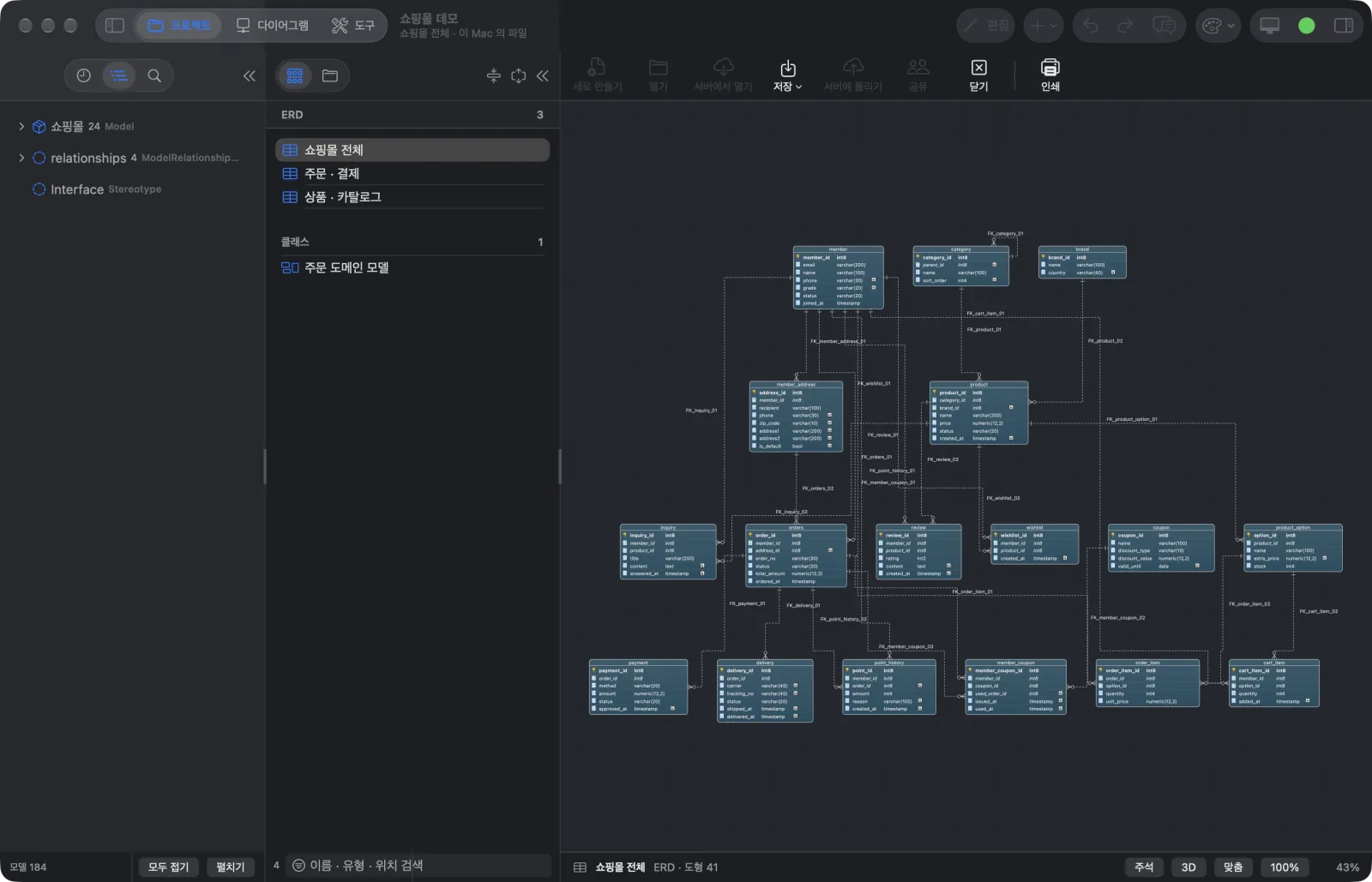
- Feels like a MacAn Xcode-like split layout, the standard menu bar and shortcuts, right-click menus, an inspector and a Settings window.
- Same features as the webEditing, the notation palette, auto arrange, SQL, API, AI chat, sharing and real-time co-editing. The 3D view is drawn with RealityKit.
- Notarized, self-updatingDistributed as a DMG notarized by Apple. When a new build is out, the app downloads it, checks its signature and notarization, and swaps itself.
macOS 15 or later · Apple silicon · Intel · notarized DMG
Setup and rollout
Installed in one place, on your servers
The Bluetong server is a Java web application on Tomcat, storing its data in PostgreSQL. The same Tomcat serves the web app, so there is not much to bring in.
About the diagram
- Top row, left to right: users → Bluetong server → PostgreSQL. One Tomcat serves both the web app and the API, so there is a single address.
- Models, edit history, sharing and AI chat history live in PostgreSQL; the keys for the session envelope and signing sit in the server’s settings folder. Backups take both, every day.
- Orange dotted lines go only where your company decides: AI calls to the endpoints registered by administrators or members, email through your SMTP. With an in-house Ollama both stay inside.
- The only line leaving the zone is push, and it is optional: only when macOS or browser push notices are used does a notice go to Apple’s or the browser vendor’s push service.
| Component | Details |
|---|---|
| Server | Java 21 WAR on Tomcat 11; the reference runtime is a Docker image. The same Tomcat serves the web app. |
| Database | PostgreSQL 17 — projects (models and diagrams), edit history, sharing, AI chat history, audit log. |
| Sign-up verification numbers and share notices go out through your SMTP server. | |
| AI (optional) | An OpenAI-compatible endpoint or Ollama. Everything else works without one. |
| Backups | Daily pg_dump plus a key bundle, with a check that restores the backup into a throw-away database and compares row counts table by table. |
| Deploy and roll back | One command each. Schema changes only ever add, so going back to the previous server build is safe. |
- 1
Bring up the server
Install the Bluetong server (Java 21, Tomcat 11) and PostgreSQL 17 on your servers and create the schema.
- 2
First administrator
The first administrator signs up with a start code the server makes at install time. From then on, administrators invite members.
- 3
Email, domain and AI
Set your SMTP server and HTTPS address, register the AI you will use (an in-house Ollama, for instance) and grant it to members.
- 4
Invite the team and start
An administrator invites the team; members sign up with e-mail verification and start modeling together right away.
Contact
Considering Bluetong for your company?
Tell us your team size, the databases you use and where you want AI to run, and we will walk you through the setup and the rollout.
Helpful to include
- Company, contact person and expected number of users
- Databases in use (PostgreSQL, Oracle, MySQL)
- Your AI plan — an in-house Ollama, or another endpoint
Levelupsoft Inc. · Modeling makes ideas real.